
Horeca ERP: One System for a Restaurant's Entire Operation
Team, shifts, time tracking, digital menu, training and communication - on the web for owners and managers, on mobile for employees. Three apps, one database.
Table of Contents
Summary
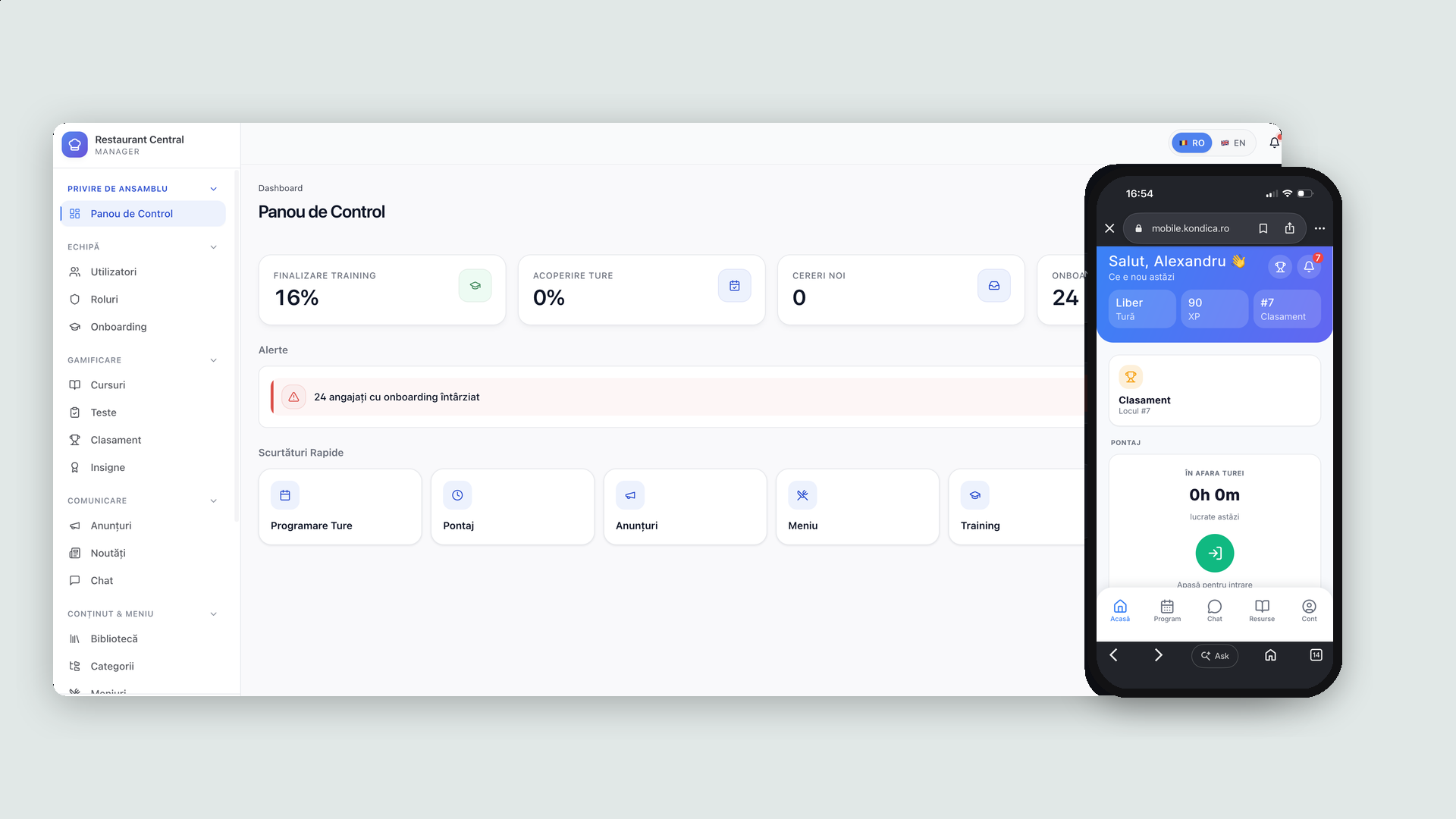
From 5-6 scattered tools to one platform: an organization → location → employee hierarchy where everything defined once - roles, menus, courses, policies - applies to every location, and every employee gets it on their phone.
3 apps, 1 database
Owner admin, location manager panel and employee mobile app, always in sync.
68 granular permissions
Grouped in 5 domains, packaged as role templates reusable at any location.
7 activatable modules
Time tracking, menu, training, communication, gamification, library, CRM - each location turns on only what it uses.
Bilingual RO / EN
All three applications ship with a full Romanian and English interface.
The Challenge
"A spreadsheet for shifts, WhatsApp for communication, a PDF for the menu - and nobody knows who read what."
Context
Restaurants with one or more locations usually juggle 5-6 separate tools. Information gets lost between them, onboarding and training rarely exist at all, and the owner has no overview across locations.
The Problem
- Fragmented operations: shifts in a spreadsheet, announcements on WhatsApp, the menu in a PDF, policies in a folder - none of them connected.
- No accountability: nobody knows who read an announcement, who finished a course or who actually showed up for a shift.
- No chain-level view: each location runs its own way, so opening a new one means rebuilding roles, menus and rules from scratch.
The Goal
One platform where the organization defines roles, menus, courses and policies once, every manager operates their location from a single panel, and every employee gets schedule, clock-in, chat and courses on their phone.
The Solution: Three Apps, One Database
We designed and built three applications that work on the same database, each for a different kind of user.
The Admin App - Governing the Organization
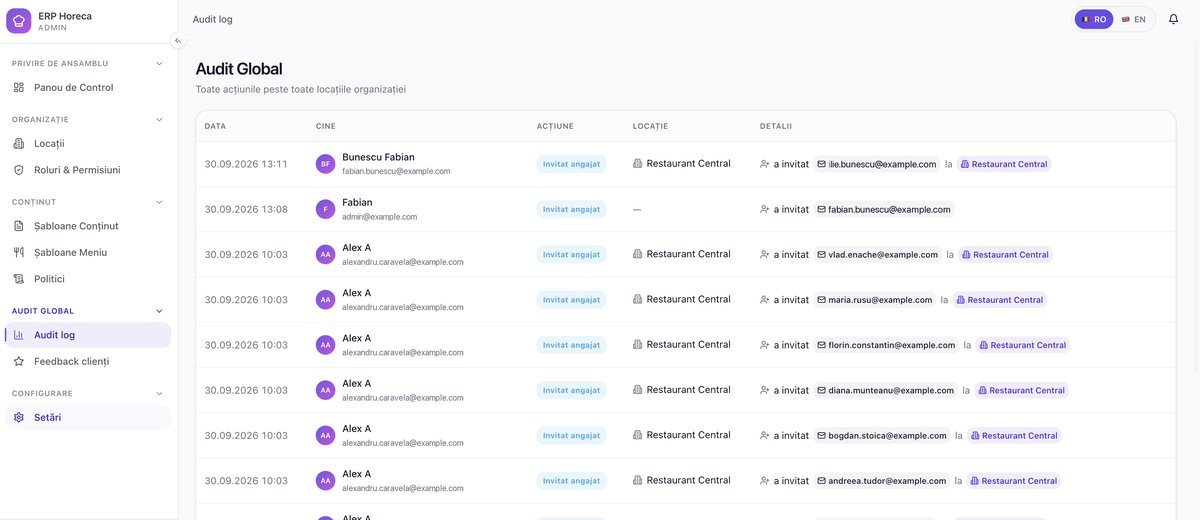
The owner governs the chain from a single admin app: locations, role and permission templates, menu and content templates, internal policies - all defined once and cascaded to any location. A global audit log records every action across all locations, with the actor, the location and the detail, so the owner can reconstruct who did what, when and where.
Granular, Reusable Roles & Permissions
Role templates - chef, head chef, waiter, shift lead - are defined once and applied to any location. Behind them sit 68 granular permissions grouped in 5 domains, each with progressive access levels: no access → read only → edit → approve / publish / moderate.
Shift Scheduling & Time Tracking
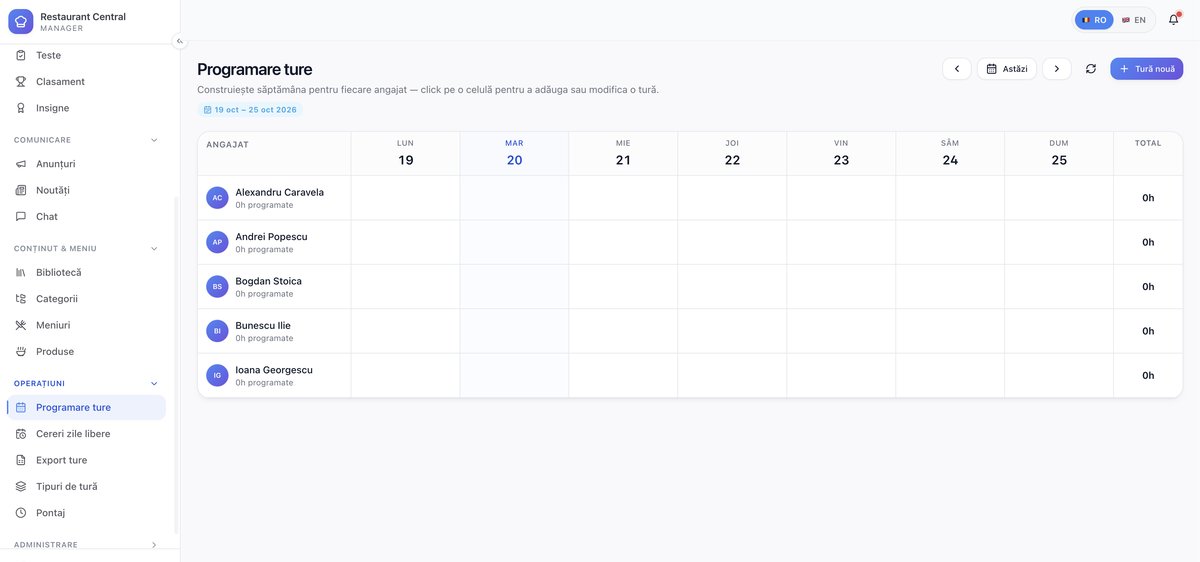
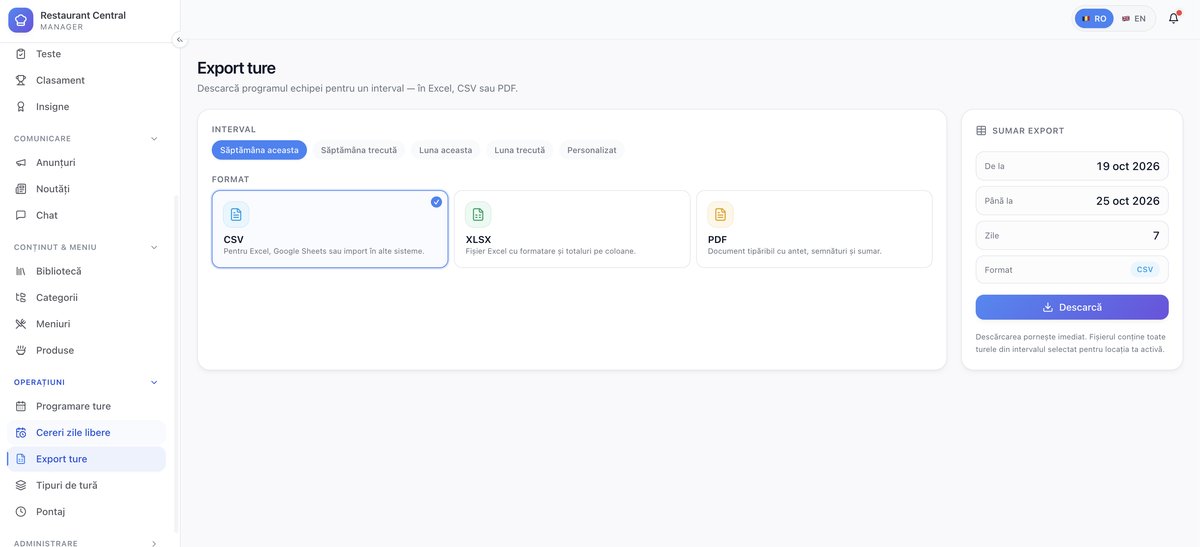
A weekly employee × day grid where a shift is added by clicking a cell, with predefined shift types and total hours per employee down the right-hand column. Attendance is generated automatically from the employees' clock-in / clock-out events - optionally verified against the location's GPS coordinates and a check-in radius - and the manager can export any interval to CSV, XLSX or PDF for payroll.
Training & Onboarding, Tracked per Employee
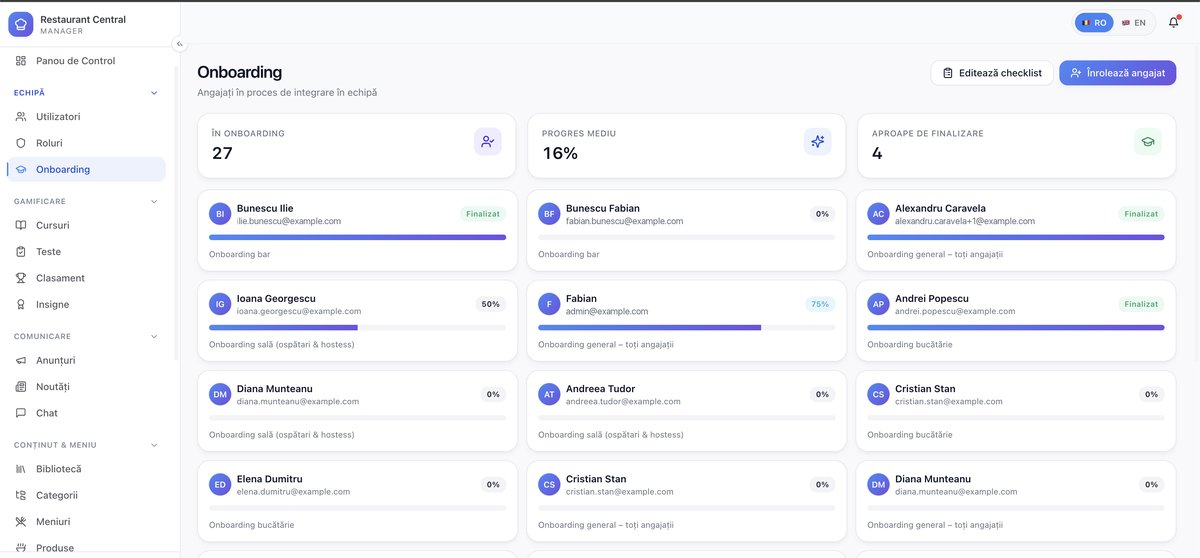
Every new hire starts on an onboarding checklist chosen for their role - kitchen, bar, floor, or the general one - and the manager sees one card per employee with a live completion percentage, plus how many are in onboarding, the average progress and who is close to finishing. Courses carry text, video and quizzes, and tests have a minimum passing score.
Gamification - XP, Levels and Badges
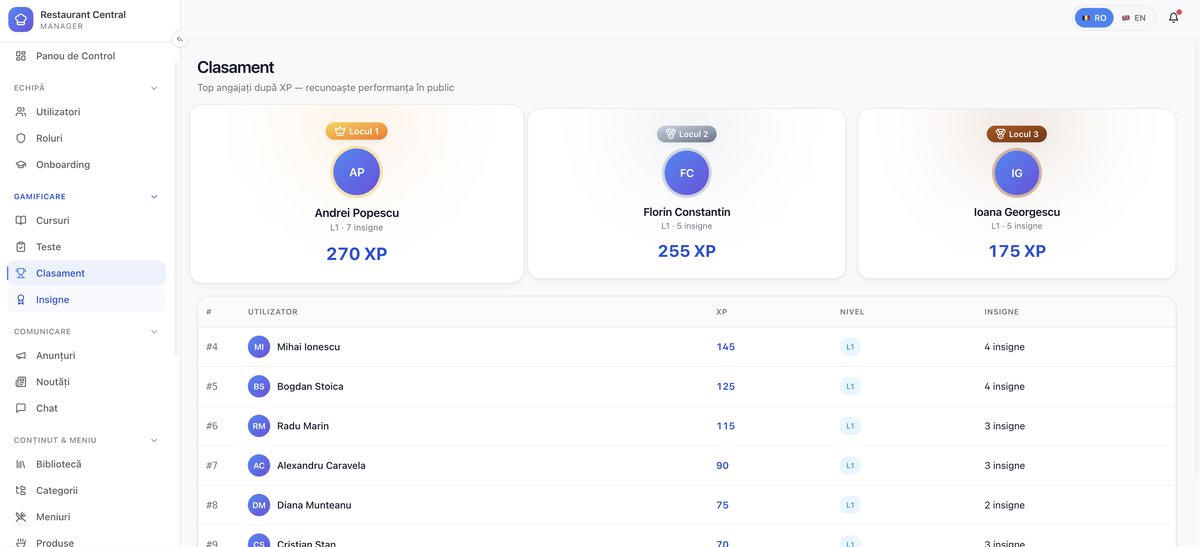
Finishing a course, passing a test or showing up without absences earns XP, and the leaderboard turns that into public recognition: a podium for the top three, then a ranked table with XP, level and badge count per employee. Badges are awarded automatically or by hand - first day done, first 100% test, 30 days without absences.
The Floor: Table Map, QR Codes and Issue Tracking
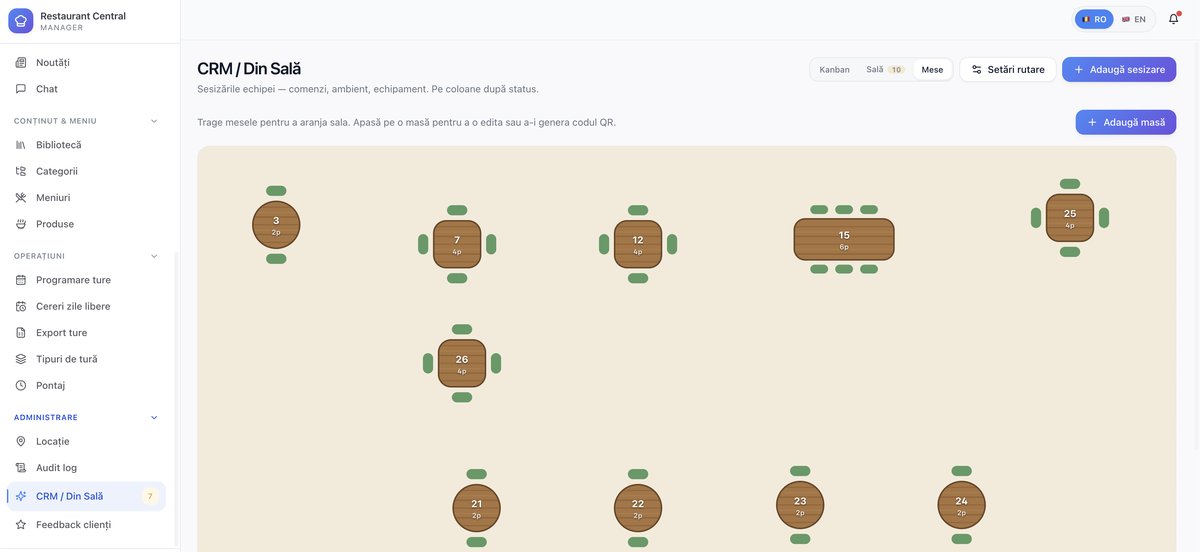
The manager lays out the room by dragging tables into place, and each table generates its own QR code - the entry point customers use for the digital menu and for the "How was it?" feedback. Issues raised during service - wrong orders, ambience, broken equipment - land on the same screen and are tracked by status on a kanban, with floor and table views, configurable routing and per-person assignment.
QR Digital Menu with Per-Location Branding
A product catalog defined once and reused across multiple menus - day, evening, weekend - with reorderable categories. Each menu publishes to a QR code for customers, carrying the location's own branding: logo, colors, menu style and font, with a live phone preview while editing.
Want a web platform like Horeca ERP?
Reply within 48h. No strings attached.
The Employee Mobile App
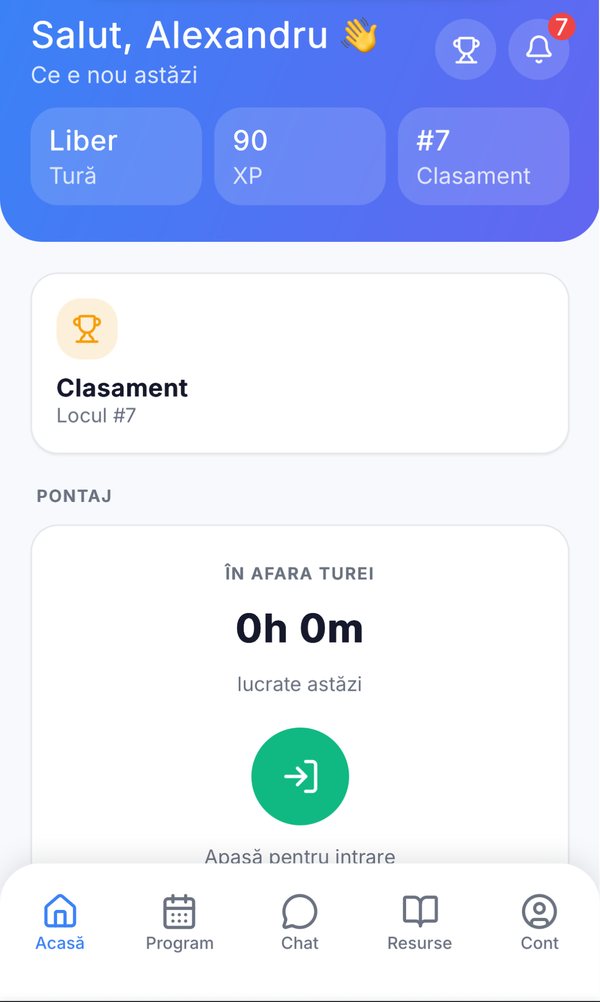
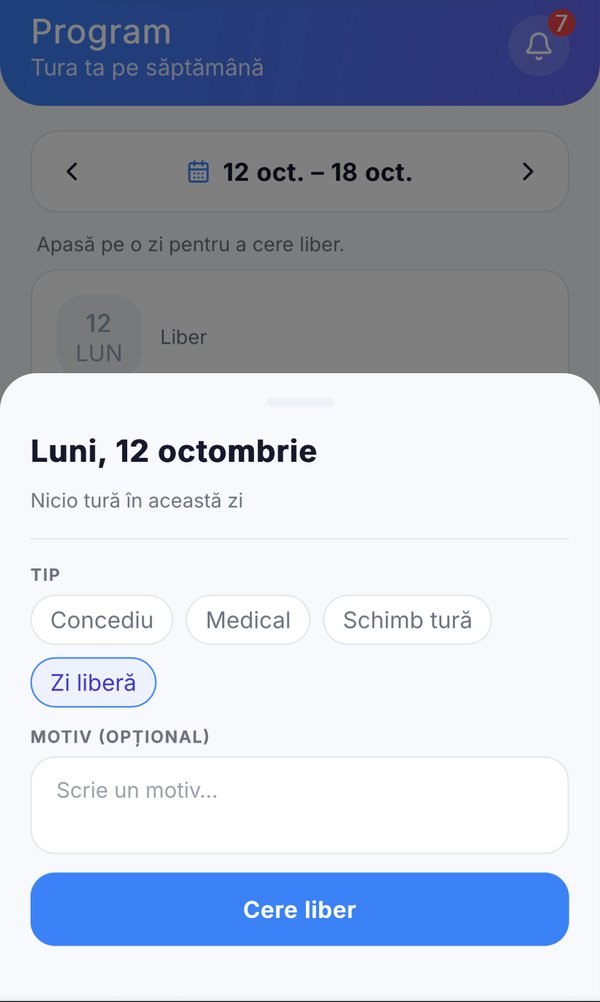
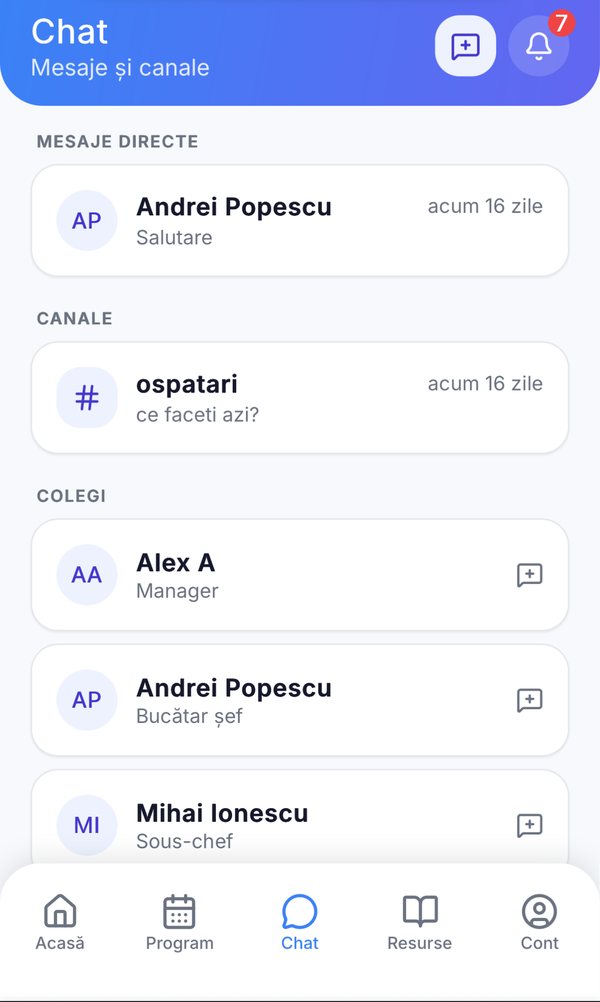
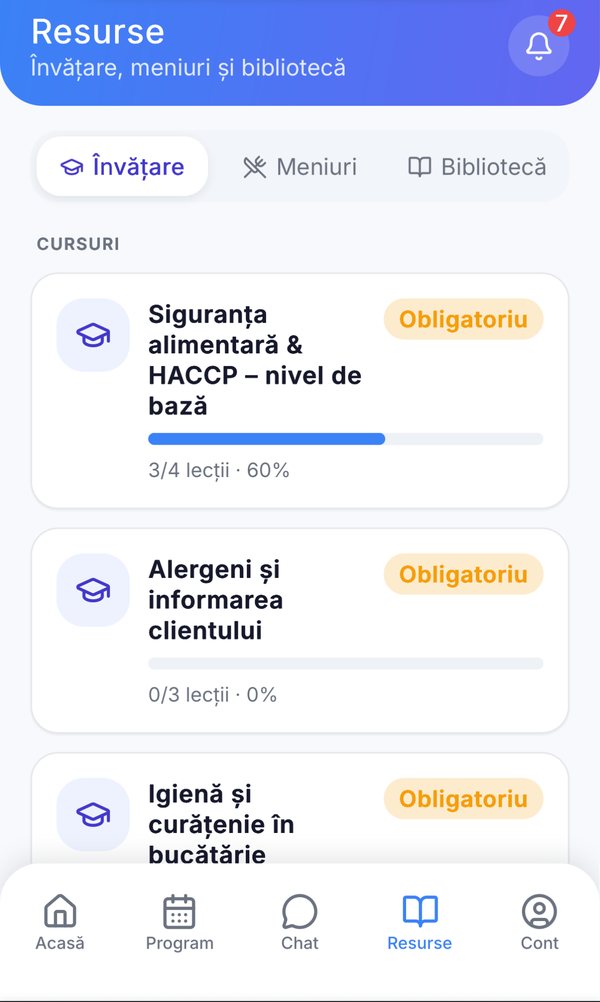
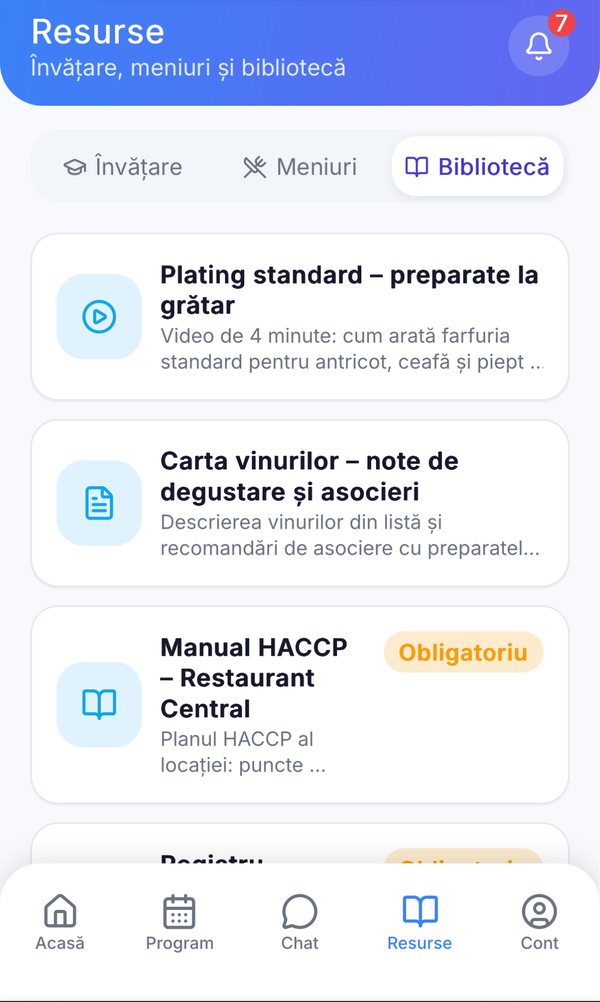
Installable on the phone, with five tabs that cover an employee's whole working day: Home - shift status, one-tap clock-in / clock-out, hours worked today; Schedule - the week's shifts, with time-off requests on tap; Chat - direct messages and channels with colleagues and the manager; Resources - assigned courses, tests, menus and the location's library; Account - profile, notifications, RO / EN language.
Features Delivered
Training & Onboarding
Courses with text, video and quizzes, assigned by role or individually, tests with minimum scores, and an onboarding checklist with progress tracked per employee.
Gamification
XP leaderboard and badges awarded automatically or manually - first day done, first 100% test, 30 days without absences.
Internal Communication
Announcements with priority, expiry and read receipts, a relaxed newsfeed, and real-time chat on channels per department or role.
Customer Feedback
Satisfaction collected through "How was it?" in the digital menu, with a location leaderboard visible to the owner.
Activatable Modules
Each location starts with only what it needs - time tracking, menu, training, communication, gamification, library, CRM - toggled per location.
Automatic Backup & Audit
A configurable backup cycle per location, with history in the organization settings, plus a global audit log across all locations.
Results
One system instead of 5-6 tools
Shifts, attendance, menu, training and communication reconcile in one place - the spreadsheet, the WhatsApp group and the PDF menu are gone.
New locations open on templates
Roles, menus, courses and policies defined at organization level apply to any new location - no rebuilding from scratch.
The owner finally has an overview
Global audit, customer satisfaction per location and organization-wide settings that cascade automatically - currency, language, date format, timezone.
Technical Spotlight
// Architecture
Multi-tenant, multi-location, with organization → location → employee inheritance
// Web
SPA admin and manager panels on a shared database
// Mobile
Installable employee app (PWA) with 5-tab navigation
// Permissions
68 granular permissions in 5 domains, with progressive access levels
// i18n
Full RO / EN interface across all three applications
Want a web platform like Horeca ERP?
Reply within 48h. No strings attached.
Services used in this project
The services behind this build. See what each one covers and how it would apply to your case.
Sector
HoReCa & restaurants